🎯 ScreenBlasterVR – VR Controllers as Light Guns for Flatscreen Gaming
A downloadable tool for Windows
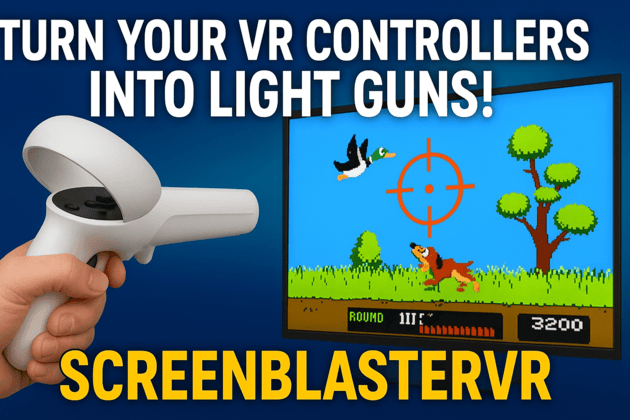
🎯 ScreenBlasterVR – Turn Your VR Controllers into Light Guns & Arcade Controls
⚠️ Not a VR game – this is a tool that turns your VR controllers into light guns and arcade-style controls for your PC monitor or TV. Play classic light gun games and arcade titles on a flat screen, like in the arcade.
✅ Works with all SteamVR headsets (HTC Vive, Valve Index, Quest 2/3/Pro via SteamVR)
✅ Supports up to 4 controllers for multiplayer
🕹️ What It Does
Use your existing VR controllers as arcade-style light guns on your monitor instead of buying dedicated light guns or CRT TVs.
✔️ Point your VR controller at your screen
✔️ Calibrate quickly with a 4-point setup
✔️ Play retro and modern shooters on a flatscreen with accurate aim
⚡ Features
🎮 Input Modes
- Windows Cursor Mode – Mouse + keyboard emulation for RetroArch, desktop apps, and most PC games
- Raw Lightgun Mode (HID) – Direct HID lightgun emulation for MAME, TeknoParrot, and picky emulators
🏍️ Arcade Control Modes (switch via hotkeys)
- Motorcycle Handlebar / Steering Wheel Mode – Steering + throttle for racing games (Ctrl+3)
- Flightstick Mode – Yaw, pitch, and roll for flight sims (Ctrl+4)
- TwinStick Mode – Dual-stick aiming for twin-stick shooters (Ctrl+5)
- Arcade Spinner Mode – Rotary control for Arkanoid, Tempest, and spinner games (Ctrl+6)
🎯 Calibration & Tracking
- 4-Point Calibration – Corner setup with real-time crosshair feedback
- Quick Aim Calibration – Fast recalibration without full setup
- 6DOF Tracking – Roll, pitch, and yaw compensation for more accurate aiming (OpenVR Input Emulator)
- Controller Mirroring – Left/right controller compatibility for shared calibration
🖥️ Display & Scaling
- Aspect Ratios – 4:3, 16:9, 21:9 quick switching (F5, F6, F7)
- Smart Detection – Automatic aspect ratio detection (F8)
- Manual Resolution – Custom width/height for non-standard setups
🎮 Infinite Scroll (FPS Games) – Mouse-style look for FPS titles with adjustable sensitivity and deadzone
👥 Multiplayer – Up to 4 VR controllers at once
🎮 Emulator Support – MAME, TeknoParrot, RetroArch, NES, SNES, PlayStation, Dreamcast
🖱️ Mouse + HID – Works with any PC game that uses mouse aiming
🔫 Haptic Feedback
- 7 Weapon Modes – Pistol, SubmachineGun, AssaultRifle, MachineGun, MachinePistol, PDW, Minigun (cycle with F10)
- Customizable timing – Per-weapon vibration patterns
- Keep-Alive – Prevents Quest controllers from sleeping during play
⚙️ Controls
- Button Remapping – Trigger, grip, touchpad, joystick, menu
- Profiles – Save and load controller configs per game/system
- Hotkeys – F1–F10 + Ctrl+1–6 for quick mode switching
⌨️ Hotkeys
- F1 – Calibration | F2 – Reset Calibration | F3 – Reload Config
- F5/F6/F7 – 4:3, 16:9, 21:9 | F8 – Toggle Smart Detection
- F9 – Toggle Input Mode | F10 – Cycle Weapon Modes
- Ctrl+1 – Windows Cursor | Ctrl+2 – Raw HID | Ctrl+3 – Handlebar | Ctrl+4 – Flightstick | Ctrl+5 – TwinStick | Ctrl+6 – Spinner
📁 Profile System – Save calibration, button mappings, and settings per game or system
🎯 Good For These Games (Flatscreen)
Arcade: Time Crisis, House of the Dead, Area 51
Retro: Duck Hunt, Hogan’s Alley, Wild Gunman
SNES: Super Scope 6, Yoshi’s Safari, Battle Clash
PlayStation: Point Blank, Elemental Gearbolt, Gunfighter
Racing: Motorcycle handlebar mode for racing games
Flight Sims: Flightstick mode for flight games
Twin-Stick: Geometry Wars, Robotron, Smash TV
Spinner Games: Arkanoid, Tempest
Modern PC Shooters with mouse support
🚀 Why It’s Special
🎮 VR Controllers as Light Guns – Flatscreen play, not VR gameplay
🏠 Room-Scale Aiming – Natural movement in front of your screen
🎯 Sub-Pixel Accuracy – High precision aiming
⚡ Low Latency – Fast tracking response
🌐 Broad Compatibility – Most emulators and mouse-aim PC games
🏍️🕹️✈️ Arcade Control Modes – Handlebar/steeringwheel, flightstick, twin-stick, and spinner support
🔧 Compatibility
✅ Windows 10/11
✅ All SteamVR headsets (Vive, Index, Quest 2/3/Pro via SteamVR)
✅ Works with most emulators and mouse-aim PC games
Discord: https://discord.gg/hFbwB2CDRM
Purchase
In order to download this tool you must purchase it at or above the minimum price of $25 USD. You will get access to the following files:
Development log
- ScreenBlasterVR Update 1.7Feb 25, 2026
- 1.6 Handlebar UpdateSep 25, 2025
- Update 1.5 - Haptic Update + FixesSep 10, 2025
- Update 1.4 - Roll implementationSep 10, 2025
- Calibration UpdateSep 07, 2025
- Finally Update 1.1Aug 24, 2025
- Readme updatedAug 23, 2025
Comments
Log in with itch.io to leave a comment.
Hi, just purhased. Can I have a discord invite please?
Hello, here the discord link: https://discord.gg/hFbwB2CDRM
hi i m on quest 3 steam vr is activated
when i push the detect button it says that 0 controller has been found
is there something else to do ?
Hello! The controllers should be detected on app launch without manually pressing the button, non detected controllers is really strange and points out to a ScreenBlasterVR-SteamVR communication issue. Make sure to connect to Meta Horizon link, then start SteamVR (from inside the headset is probably the best for quest headsets), Disable SteamVR Home in the steamVR settings and start ScreenBlasterVR at the end. Here the discord link for support by me and the community: https://discord.gg/hFbwB2CDRM
thanks i fix the issue you have to launch the app as admin ;)
Yes :) it was not asking for admin rights or you denied them on launch?
nope ! this app has great potential nice work ;)
Hello, may I access the discord or available documentation please? Calibration doesn't seem to do anything in spite of "real time status" showing "calibrated"; windows mouse flies wildly around the screen with unrelated small movements of VR controller. I can't get far enough to even try a game. Thank you.
Hello, sure here: https://discord.gg/snR3cej2hF there is a support channel where users discussed everything already :) your issue is strange btw since it should be resolved in version 1.7
Hello, just purchased and would like a discord invite as I am having issues, left and right are inversed. Sure it's a easy fix but would like assistance.
Hello, download the new 1.7 to see if it's working better for you. Here the discord: https://discord.gg/AEQE3DJQ
Can I have a discord invite please i buyed your proggram
Sure, here it is: https://discord.gg/Kw7B7nXx
Can I have a discord invite please i buyed your proggram
https://discord.gg/tnwMRUhf
Hi, just purhased. Can I have a discord invite please?
Hello!! Sure, here: https://discord.gg/wSzJ3nhM
Hey, just purchased. May I have a discord invite please. Cheers : )
Thank you so much for your purchase! 😊
Absolutely, here’s the Discord invite link:
https://discord.gg/jXacSjza
Welcome aboard, and if you need anything just let me know!
Im getting an Invalid key error after my purchase. Is there any help with that here?
Thank you for the purchase, we will fix this quickly. fidefidex.ch@gmail.com or discord: https://discord.gg/4UBqehYA
yup, Thanks for the response.
Would this work with old Rift CV1 sensors and controllers?
If it works with SteamVR, then it should be compatible.
Seems the Discord link is expired.https://discord.gg/mhvXyWqC
It's expired again D:
https://discord.gg/WNpwPYVm
Hi! Does it work to emulate a Wiimote or Joy-Con in motion controlled games?
Hello! Yes, a youtuber made 2 videos one using PS2 emulator and one using Wii emulator, they will be posted on 31.8 and 5.9. So yes, wii emulation compatibility confirmed.
Support Pico4 controllers ?
And, Can I play games in steamVR theater mod with this?
Hello, I’m releasing an update right now with improved Quest 2 and Quest 3 compatibility. I believe Pico 4 tracking works similarly to Quest tracking. I don’t own a Pico, but if the headset is correctly recognized by SteamVR, it should work.
No, this software is designed to work using VR controllers as a Lightgun on flatscreen, it is not working inside the headset. maybe "theoretically" if you are able to calibrate the virtual theatre screen using the controller toutching the 4 corners of the screen in virtual reality it maybe work... but I don't think you can do it precisely... maybe in passtrough mode, idk.